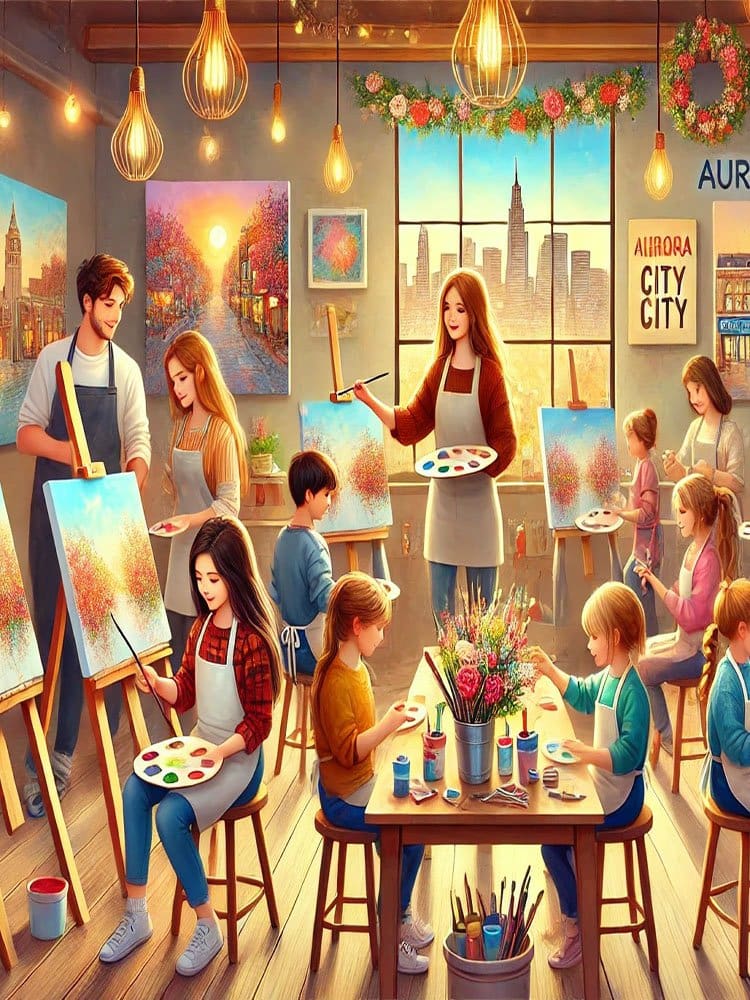

A Painting Class using Photoshop offers an exciting opportunity for artists to explore the vast potential of digital artistry. Photoshop, a cornerstone in digital design, provides a powerful platform to replicate traditional painting techniques while embracing innovative digital tools. In a Painting Class , students learn to manipulate Photoshop’s extensive brush library, experimenting with various textures, opacities, and strokes. From soft watercolor washes to thick oil paint textures, the software allows artists to craft their unique style without the limitations of physical mediums.
Photoshop’s versatility shines through its use of layers, enabling artists to build depth and complexity in their artwork. Each layer serves as a canvas for different elements, making edits and adjustments effortless. This flexibility also extends to color management—students in a Painting Class discover how to fine-tune hues, gradients, and shading with precision. The ability to work non-destructively means changes can be made without permanently altering previous layers, offering an invaluable safety net for experimentation.
Brush dynamics are another focal point in a Painting Class with Photoshop. By adjusting pressure sensitivity, flow, and opacity, artists gain control over each stroke’s intensity and texture, mimicking the characteristics of real brushes. These techniques elevate the painting process, allowing digital works to retain the nuance and organic feel of traditional methods.
Ultimately, a Painting Class using Photoshop empowers artists to transcend the constraints of physical media, unlocking limitless creative possibilities and fostering an environment where digital and traditional techniques harmoniously coexist.
The world of painting has evolved. Painting Classes using Photoshop mark the beginning of an exciting new chapter.
Digital art is not new. However, it has gained strong popularity due to its accessibility and versatility.
For both beginners and experienced artists, Photoshop is now an invaluable tool. Artists are no longer limited by physical brushes or canvas.
Instead, they can explore endless possibilities. They can experiment with textures, colors, and effects without restriction.
Unlike traditional mediums, digital painting offers a flexible canvas. It can be changed, modified, and refined instantly.
Artists may create realistic portraits or abstract compositions. Photoshop’s tools help them push creative boundaries.
The program is efficient and flexible. It allows students in a Painting Class to focus on creativity. They do not need to worry about costly materials or irreversible mistakes.
Photoshop also includes advanced features. These include layering, masking, and non-destructive editing. All are essential in digital art.
Painting Classes using Photoshop are growing quickly. Artists can now create work beyond what was once possible.
For beginners, learning Photoshop basics is the first step. It builds a strong foundation for digital painting.
One major advantage of digital painting is cost. It is more affordable and convenient than traditional media.
A digital canvas is easy to access. You do not need physical supplies.
Start by learning the Photoshop workspace. Focus on layers, tools, and menus.
Layers are essential in digital art. They allow artists to separate different parts of their work.
In a Painting Class, students learn how to use layers effectively. They can edit each element without affecting others.
This system is a major improvement over traditional painting.
Brushes are also very important. Photoshop offers many brushes that mimic real tools. These include pencils, charcoal, watercolor, and oil paint.
Students should learn to customize brushes. This helps them match tools to their personal style.
Once the basics are clear, students can explore advanced tools. These include the history panel, layer styles, and blending modes. These features open the door to creative possibilities.
Brushwork is essential in digital painting. It helps create depth, texture, and dimension.
A Painting Class in Photoshop teaches brush control. Artists learn to replicate traditional brushstrokes with precision.
Students can adjust pressure, opacity, and flow. This allows them to create different styles. They can move from smooth oil effects to soft watercolor touches.
Photoshop also allows custom brushes. This is one of its strongest features.
Artists can design brushes that match their preferred medium. For example, they can create textured brushes that feel like real canvas.
This gives digital paintings a more natural look.
Photoshop supports unlimited brush variations. This allows artists to create diverse and realistic strokes.
Students also learn to combine brushes. This adds complexity and detail to their work.
By layering brush strokes, they can create textures. These textures can resemble wood, fabric, or skin.
This skill is key to producing realistic digital artwork.
Layering is a powerful feature in Photoshop. It is a core concept in every Painting Class.
Layers allow artists to organize their work. They can separate background, foreground, and details.
This makes editing easier and more flexible. It also supports non-destructive workflows.
Students learn how to build compositions step by step. They often begin with a rough sketch. Then they add color, shading, and detail.
This method allows easy adjustments. Artists can move elements or change colors without difficulty.
Layer modes add more control. Examples include Multiply, Overlay, and Soft Light.
These modes change how layers interact. They help create lighting effects and improve contrast.
For example, Multiply works well for shadows. Soft Light enhances highlights.
By experimenting with these modes, students improve their compositions. They can create more depth and realism.
Color is a key element in any Painting Class. Mastering it in Photoshop expands creative options.
Photoshop makes color control simple and precise. Artists can access a full digital palette.
They do not need to mix physical paint. Colors can be adjusted instantly.
Students learn color theory first. They explore complementary, analogous, and monochromatic schemes.
Photoshop tools like the color picker and gradients make experimentation easy.
Layer adjustments such as Color Balance and Hue/Saturation offer more control.
Color blending is also important. It helps create smooth transitions.
Blending modes allow colors to interact across layers. This produces soft gradients and natural effects.
Artists may use airbrush tools for smooth blending. Textured brushes can create rough transitions.
One big advantage is flexibility. Colors can be changed at any stage. There is no waste of materials.
Depth is essential in painting. It creates a sense of realism.
In a Painting Class, students learn to use light and shadow. These elements give volume to objects.
In traditional painting, depth comes from layering paint. In Photoshop, it is created digitally.
Students use blending modes, opacity, and gradients. These tools simulate real lighting.
Shadows play a key role. They help define form and distance.
Photoshop allows realistic shadows and highlights. It also supports strong contrasts.
Artists use different shading techniques. Soft brushes create smooth shadows. Hard edges create sharp effects.
Layer styles like Drop Shadow and Inner Shadow add depth. Outer Glow can enhance lighting.
Highlights are equally important. They show how light interacts with surfaces.
Good lighting creates a three-dimensional effect. It makes artwork more realistic.
Textures are a major advantage of digital painting. They add realism and detail.
In a Painting Class, students learn to create textures. They use brushes and tools in Photoshop.
Artists can simulate real materials. These include wood, metal, and fabric.
Custom brushes expand creative options. Artists can design unique textures.
Photoshop also supports photographic textures. These can be blended into artwork.
For example, cracked earth images can enhance landscapes. This adds depth and realism.
Patterns are also useful. They help create repeating designs.
Artists can build backgrounds quickly. This saves time and effort.
By combining textures and patterns, artwork becomes richer. It also becomes more visually engaging.
Light and shadow are essential in digital painting. Without them, artwork looks flat.
Students learn how light behaves. They study how it hits surfaces and creates shadows.
Photoshop includes tools for lighting effects. These help simulate real and artificial light.
Layer styles like Glow and Bevel add depth. They also create different moods.
Artists experiment with light sources. These include ambient and directional light.
This practice improves realism. It also adds emotional impact to artwork.